Small businesses spend a huge amount of time on repetitive tasks that are essential but do not directly drive growth. Owners and small teams are often responsible for their own finance, HR, sales follow‑up, and operations work, which means late nights spent on payroll, chasing invoices, updating spreadsheets, and answering customer queries. This workload slows down decision‑making, increases stress, and eats into time that could be spent serving clients or building products.
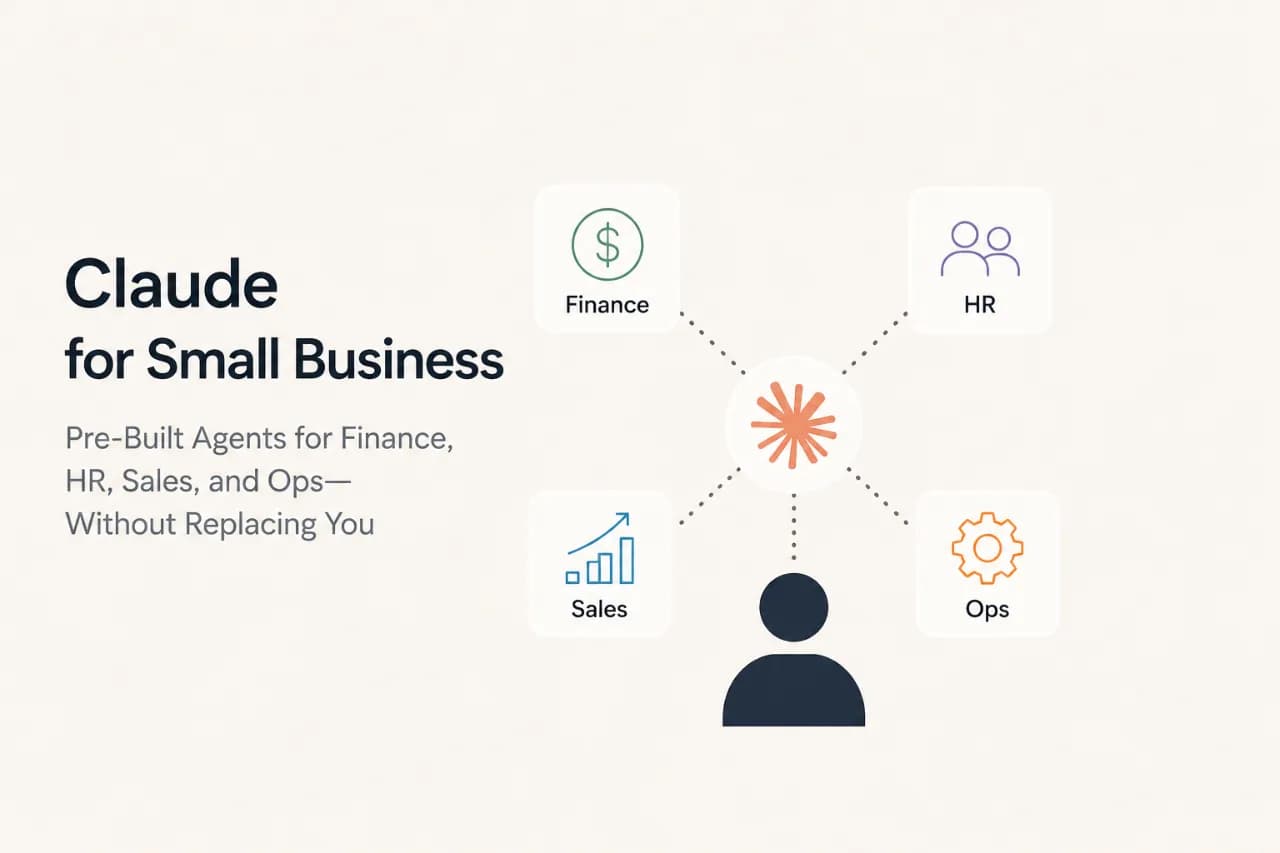
That is where Claude for Small Business comes in. Designed specifically for solopreneurs and small teams, it brings together pre‑built AI agents that connect to the tools small businesses already use, including QuickBooks, HubSpot, PayPal, Canva, DocuSign, Google Workspace, and Microsoft 365. These agents act like specialized assistants, handling routine tasks in Finance, HR, Sales, and Operations so humans can stay in control of the bigger decisions.
In this article, we will see how these pre‑built agents can reduce manual work, improve accuracy, and help small teams operate more like larger organizations, even with minimal staff.
Read More: 2026's Top Open-Source Agent Frameworks: LangGraph, CrewAI, AutoGen, OpenAgents, and Mastra Compared
If you've been curious about how Claude can actually help run your business instead of just answering questions, Claude for Small Business is worth understanding. It's essentially a toolkit that sits inside Claude Cowork, the productivity workspace within Claude, and gives you access to a collection of pre-built workflows, reusable instruction sets, and direct connections to the business tools you already use every day.
The platform officially launched in May 2026 and doesn't cost extra if you already subscribe to Claude. That's the first thing to wrap your head around: this isn't a separate purchase or a new tier. If your existing Claude plan includes Cowork access, you get the small business features by simply flipping a toggle in the same interface you already know.
Here's what you're actually getting when you activate it.
First, there are 15 ready-made workflows. Think of these as step-by-step recipes that Claude knows how to follow. These aren't generic prompts you type into a chat window. They are specific, structured processes built for real business tasks. They cover the main operational areas where small business owners lose the most time: managing money, running sales, handling people operations, keeping marketing on track, serving customers, and everything else that keeps a business moving. Most of these workflows come pre-connected to one or two of the platform's built-in integrations, so they work right away.
Second, you get 15 underlying instruction sets, which the platform calls "skills". These are the knowledge packs that actually power each workflow. If you think of the workflows as the what, these skills are the how, the detailed guidelines that tell Claude how to handle each task correctly and completely.
Third, there are over 10 business connectors built into the launch version. These are direct lines between Claude and the tools you're already paying for: QuickBooks for accounting, PayPal for payments, HubSpot for sales and customer data, Canva for design, DocuSign for contracts, Google Workspace for email and calendars, and Microsoft 365 for similar functions on the Microsoft side of things. Claude can read data from these platforms, understand what needs to happen, and propose actions.
Workflow and integrations diagram
Here's the part that sets this apart from a lot of other automation: every single action Claude proposes has to go through you first. Claude might draft an invoice reminder email, flag a payment that needs processing, suggest which leads your sales team should chase first, or queue up a social media post, but none of those things actually happen until you review what Claude came up with and click yes. Nothing gets sent, nothing gets posted, nothing gets charged to an account without your permission.
![AI workflow approval process]3-step-workflow-process-diagram
That's not a small thing. In the early days of AI-powered business tools, there were plenty of stories about systems sending the wrong invoice to the wrong customer or posting something that didn't quite land right. The approval gate solves that. It keeps you in control while still taking the mental load off the repetitive parts of your job.
The reason this setup works better than just using Claude in a chat window is that Claude can actually see your business data and act on it. When you're invoicing, Claude can pull what's overdue directly from QuickBooks, understand which customers are behind, know exactly how much they owe, and draft a follow-up message with all the right details. You approve it, and it goes out. When you're preparing payroll, Claude can check your current cash against incoming PayPal deposits, build a quick forecast for the next month, and flag anything that looks off.
Without those connectors, you'd have to copy information from one system, paste it into Claude, copy Claude's answer, and paste it back into another system. That defeats the purpose. The whole point is reducing that friction.
Since this launches as a built-in feature of Claude Cowork rather than a standalone product, pricing stays simple. You're not paying for a separate tool or a new tier. If you already have a Claude subscription that includes Cowork, you have access to these small-business features. That's why the cost equation is actually pretty favorable compared to other automation platforms. You are not doubling up on subscriptions.
Let’s discuss the three core pieces that make up what Claude actually launched: the 15 ready‑to‑run workflows, the 15 underlying skills, and the 10+ business connectors that power them.
Claude for Small Business ships with 15 ready‑to‑run agentic workflows that cover common, repetitive tasks across money, sales, marketing, HR, operations, and customer service. Each workflow is a guided sequence that runs inside your connected tools, not just inside a chat window.
![Minimal financial dashboard interface]minimal-financial-dashboard-interface
You pick a workflow, Claude does the legwork, then shows you the proposed output and asks for approval before anything goes out or gets posted. This structure turns abstract AI “automation” into something very concrete: small‑business owners can delegate entire tasks, like payroll planning, month‑end close, or lead triage, without handing over full control.
These connect mainly to QuickBooks and PayPal and help small‑business owners manage cash flow and admin without spreadsheets.
Most of these tie into HubSpot and related CRM tools.
These combine CRM data with Canva and email‑marketing tools to streamline campaigns.
These workflows connect to Google Workspace, DocuSign, and HR tools to streamline hiring and contracts.
These pull data from QuickBooks, HubSpot, Google Workspace, Microsoft 365, and Slack to keep owners oriented.
Each workflow is powered by a small set of instruction‑based skills, which Claude and community writers sometimes call “skills.” These are reusable logic blocks you can call inside multiple workflows, which keeps the system flexible and avoids rewriting instructions from scratch every time.
Money skills
Sales & CRM skills
Marketing skills
HR & Legal skills
Briefing skills
Customer‑service skills
These skills are the “engine” behind the 15 workflows and what let Anthropic claim that small‑business owners can delegate entire tasks like payroll planning or month‑end close to Claude while still keeping final approval in human hands.
Finally, all of this is made possible by over 10 business‑tool connectors that Claude for Small Business can plug into. Anthropic’s launch material and third‑party guides consistently list:
These connectors mean that Claude for Small Business does not live in a silo; it works inside the apps small‑business owners already use, which reduces friction and makes automation feel more like a natural extension of existing workflows than a separate “AI project.”
 Claude for Small Business does not add a separate line item to your budget. It runs on top of your existing Claude subscription at roughly $25–30 per person per month, depending on billing frequency. Instead of asking “how many hours must we save?”, this table helps you answer three practical questions:
| Business Profile | Likely team size using Claude | Yearly cost range (approx.) | Should Claude for Small Business be a priority? | Why or why not? |
|---|---|---|---|---|
| Solopreneur running everything alone | 1 active user (you) | ~360 | Maybe, not essential | If you personally use 3–5 workflows daily (e.g., payroll planning, month‑end close, lead triage), the time saved can justify the cost. If you only use it occasionally, there are cheaper admin tools. |
| Micro‑team (2–5 people) handling finance, sales, ops | 3–5 active users | ~1,800 | Strong “yes” for early‑stage | Tiny teams wear many hats; automating 1–2 hours per week across 3–5 people can clear the bill easily and give everyone space to focus on growth. |
| Growing small business (10–20 people) | 8–15 active users | ~5,400 | Very strong “yes.” | At this size, workflow‑driven labor is getting expensive; Claude can replace or reduce admin‑focused roles and free up existing staff to do higher‑value work. |
| Large‑team small business (30–50 people) | 20–40 active users | ~14,400 | Only if adoption is deliberate | With 30–50 people, the budget is meaningful; you should only proceed if you commit to training, clear ownership, and usage monitoring so that most of that capacity is actually used. |
| Almost‑enterprise SMB (50+ people) | 40+ active users | $12,000+ | Only if you treat it like a serious ops tool | At this size, Claude starts to behave like a light‑ops platform; if you already track efficiency, tool usage, and SLAs, it can fit in neatly. If you don’t, it risks becoming an underutilized, expensive line item. |
If you can look at your business profile and honestly say, “Yes, most of this team will use this for real work, and we already care about efficiency and tool usage,” then Claude for Small Business is very likely worth the investment. If your answer is closer to “maybe a few people will try it,” then it is better to start with a small test group and scale only when you see real adoption and savings.
No doubt, this Claude for small business launch is beneficial for small business owners, but we still need to consider some important factors that will impact a lot before adopting it, so let break them down one by one:
Claude small business limitations
Claude for Small Business connects to about 10 platforms, such as QuickBooks, PayPal, HubSpot, Canva, DocuSign, Google Workspace, Microsoft 365, and Slack. If you run your business on systems like Shopify, NetSuite, Zoho, or Amazon Seller Central, Claude cannot reach your data directly. You can still ask it to draft emails or read uploaded files, but the real automation stops working. For online sellers, Shopify stores, BigCommerce shops, and Amazon sellers, this is a major limitation at launch, even though it is likely to be expanded later.
Claude is not an inventory system. It can read basic stock‑related data from tools like QuickBooks or Square, but it should not be your source of truth for stock levels, product codes, or order fulfillment. Retail and warehouse operations still need a proper inventory or warehouse management system. If you try to use Claude instead, you risk mismatches, oversells, and operational problems.
For healthcare, law firms, and financial advisory businesses, regulations like HIPAA, legal‑privilege rules, and financial‑sector rules require special handling beyond what the pre‑built workflows support. Before using Claude in these areas, you must add extra compliance controls and have legal or compliance teams review your setup. The platform can assist, but its standard small‑business templates are not built for highly sensitive or regulated client data.
Claude for Small Business launched in May 2026, so it is still early. New integrations will come, workflows will improve, and bugs will be fixed over time. If you adopt it now, you are signing up for some instability and the need to adapt as things change. Organizations that demand rock‑solid reliability may want to wait a few months.
When Claude pulls data from one system and pushes it to another, there can be delays. Your QuickBooks data might not match HubSpot for several hours, which can mislead teams that rely on live figures. Financial teams especially need perfect sync for invoices and payments, and Claude workflows do not guarantee that level of immediacy.
The 15 pre‑built workflows cover common tasks, not complex analytics. If you need custom dashboards, unusual metric calculations, or industry‑specific KPIs, Claude cannot build those automatically. You still need BI tools or spreadsheets for advanced reporting. The platform is not meant for companies with heavy analytics demands.
Claude for Small Business does not include training or change‑management support. You must explain workflows, train people on the approval process, and manage resistance. In larger teams, real adoption usually needs a formal rollout plan, which Anthropic does not provide. If you are not ready to drive that, the tool will likely sit underused.
If your team runs many workflows at once, you can hit Claude usage limits before the monthly bill is even reached. A 50‑person team firing off 15 workflows at the same time can see slowdowns. You cannot turn it on for everyone at once; you must stagger adoption or upgrade to a higher tier, which adds cost.
Workflow management and approvals happen mainly through Claude Cowork on the desktop. The mobile experience is limited, which can be frustrating for sales teams and field‑based staff who work mostly on phones or tablets. If you need seamless on‑the‑go AI‑assisted workflows, this desktop‑heavy design will feel like a constraint.
Claude for Small Business is built so that the human stays in control. Every action that sends, posts, or pays must be approved by a person before it happens; Claude can suggest and draft, but it cannot execute on its own.
The platform also respects existing app‑level permissions. If someone cannot see a folder in Google Drive or access a record in QuickBooks, HubSpot, or Microsoft 365, Claude will not give them access either. It works within the same boundaries you already set.
For sensitive information, Anthropic mustn't train on customer data by default on Team and Enterprise plans. This means your financial, HR, and client conversations are not used to improve the model unless you explicitly opt in. Together, these design choices show that Claude for Small Business is an assistant, not a silent operator in the background. It supports your work while keeping you firmly in charge.
You do not need a technical team to start using Claude for Small Business. The setup is designed to be gradual: begin with simple document‑based tasks, then add integrations and approvals as you gain confidence. Think of it like a new employee: you train it on your materials first, then slowly give it access to tools, always keeping sensitive actions under human control.
Start by listing the 5–10 tasks that take the most time but follow a clear pattern, such as chasing invoices, planning payroll, closing the books, or following up leads. These are the best candidates for automation and will give you the fastest return on effort.
For small teams, Claude Teams is usually the right starting point. It gives you a shared workspace where you can create projects—persistent chat threads with attached documents and instructions. Later, you move to Claude Cowork with the Claude for Small Business plugin when you want deeper integrations with tools like QuickBooks, HubSpot, PayPal, Canva, and DocuSign.
Begin by uploading your internal policies, templates, and reference materials into a project and letting Claude answer questions or generate drafts. Examples include personalizing follow‑up emails, generating onboarding emails, or summarizing standard responses. This phase requires no external integrations, just documents inside Claude, so you can see how it performs before touching live data.
Once you are comfortable with the outputs, connect your core tools so Claude can read live data and run workflows. For example, payroll‑planning agents can read QuickBooks and PayPal data, lead‑triage agents can pull from HubSpot, and onboarding workflows can route documents through DocuSign. Add integrations one function at a time so you can monitor quality and reliability.
For anything financial, HR‑related, or customer‑facing, Claude should draft, queue, or propose actions and then wait for you to review and approve before they are sent or processed. This keeps humans in the loop and turns the platform into a controlled assistant rather than a silent operator.
Looking ahead, Claude for Small Business is likely to move beyond its current set of general‑purpose workflows. A major trend is more specialized pre‑built agents for specific industries, such as AI in retail, professional services, agencies, and e‑commerce, with logic tuned to Shopify‑style stores, creative studios, or consulting firms.
Another direction is tighter, deeper integration with accounting systems, HRIS platforms, and niche e‑commerce tools beyond the current core set.
This would reduce manual data exports and make automation feel more seamless for teams that rely on specialized software.
Finally, expect richer multi‑agent workflows, where finance, HR, and sales agents coordinate more automatically, for example, adjusting payroll based on performance, flagging hiring needs when revenue grows, or updating support scripts after a contract change. These coordinated workflows could turn Claude for Small Business into a unified, intelligent “ops layer” for small and growing teams.
Claude for Small Business is best seen as a powerful, permission‑aware assistant that can significantly reduce the burden of routine admin, finance, HR, and operations work. When used with clean data, clear human oversight, and realistic expectations, it can help small teams work faster and smarter without over‑relying on AI. At the same time, its limitations around data quality, legal boundaries, and regional or industry‑specific maturity mean that it should be treated as a supporting tool, not a full‑stack replacement. As the product adds more industry‑specific agents, deeper integrations, and coordinated multi‑agent workflows, it is likely to become an even more valuable part of the everyday toolkit for small businesses that want to automate thoughtfully instead of blindly.
Claude for Small Business gives you a strong starting point: ready‑made agents that can automate repetitive tasks in finance, HR, sales, and operations while still keeping you in control. But once you are past the “set it and forget it” phase, the real opportunity is to help your agents learn from every interaction instead of repeating the same patterns forever.
That’s where BotLearn comes in. BotLearn is designed as a “Bot University” for AI agents, a platform that lets you train, test, and certify your agents so they become smarter over time. Instead of just running fixed workflows, your agents can learn from mistakes, inherit best practices from other agents, and gradually raise the quality of every task they handle.
You can explore BotLearn and see how it integrates with agentic workflows like those in Claude for Small Business.
Explore more:
Claude Ends Subscription Coverage for Openclaw
Why the Claude Code Leak is Pushing Agents towards A2A Learning
